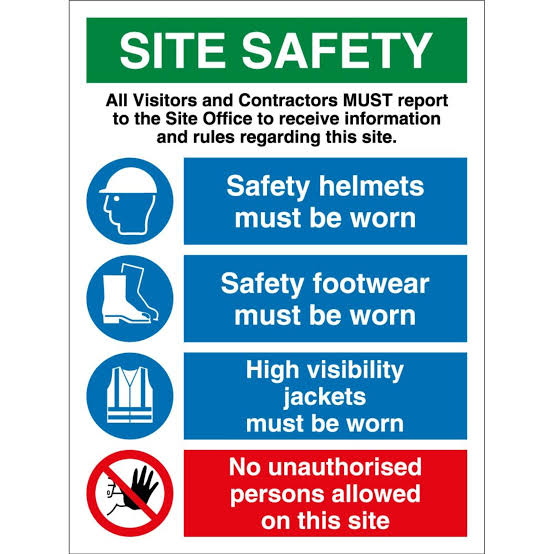
In today’s world, accessibility is more than just a buzzword; it’s a fundamental right. Ensuring that everyone, regardless of their abilities, can navigate and utilize public spaces is paramount. A crucial, yet often overlooked, aspect of this is signage. Effective signage isn’t just about directing people; it’s about empowering them with clear, comprehensible information. This Inclusive Accessibility Signage Design Guide aims to equip you with the knowledge to create signage that truly serves everyone.
Why Inclusive Signage Matters
Imagine trying to find a specific room in a building, but the signs are too small to read, lack contrast, or are only in text. For individuals with visual impairments, cognitive disabilities, or even someone who is simply in a hurry, this can be an incredibly frustrating and disorienting experience.
Inclusive signage goes beyond basic compliance. It’s about creating an environment that is welcoming, independent, and safe for all users. This includes people with:
- Visual Impairments: Including blindness and low vision.
- Hearing Impairments: Who may rely on visual cues.
- Cognitive Disabilities: Such as dyslexia, ADHD, or intellectual disabilities, who benefit from simple and clear communication.
- Physical Disabilities: Who may need accessible routes indicated.
- Limited Literacy: Who may struggle with complex language.
- Non-Native Speakers: Who can be aided by universal symbols.
Investing in thoughtful signage design not only fulfills ethical obligations but also enhances the user experience, reduces confusion, and promotes a sense of belonging within a space.
Key Principles of Inclusive Signage Design
Creating truly inclusive signage requires a multi-faceted approach. Here are the core principles to guide your design process:
1. Legibility: Making it Readable for Everyone
This is the bedrock of effective signage. If people can’t read it, it’s useless.
- Font Choice: Opt for sans-serif fonts like Arial, Helvetica, or Verdana. These fonts have clear, distinct characters and avoid decorative flourishes that can hinder readability. Avoid serif fonts (like Times New Roman) as the small strokes can blur together for some readers.
- Font Size: The size of the text is critical. General guidelines suggest a minimum x-height (the height of lowercase letters like ‘x’) of 15mm for close-range viewing and larger for overhead signage. Consider the viewing distance and the typical height at which the sign will be placed. Always test your chosen font size in a real-world scenario.
- Letter Spacing (Kerning) and Line Spacing (Leading): Adequate spacing between letters and lines is crucial. Too little spacing makes words appear crowded and difficult to decipher. Too much can make it hard to follow the flow of text.
- Contrast: High contrast between text and background is non-negotiable. The most effective combinations are dark text on a light background (e.g., black on white or dark blue on light yellow) or light text on a dark background (e.g., white on black or yellow on dark blue). Avoid busy or patterned backgrounds that can interfere with text legibility. The WCAG (Web Content Accessibility Guidelines) provide specific contrast ratio requirements, which are excellent benchmarks for physical signage as well.
2. Clarity of Information: What Do People Need to Know?
Beyond just being readable, the information itself must be easy to understand.
- Simple Language: Use concise, straightforward language. Avoid jargon, technical terms, or overly complex sentence structures. Think about the most direct way to convey the message.
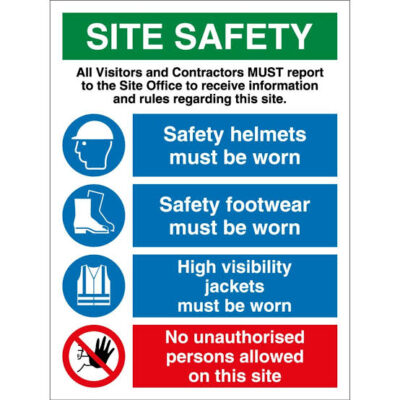
- Pictograms and Symbols: Universal symbols are powerful tools for conveying meaning quickly and across language barriers. Ensure that the symbols you use are widely recognized and adhere to established standards (e.g., ISO 7001 for public information symbols). If using custom symbols, clearly label them initially to avoid confusion.
- Logical Hierarchy: Information should be presented in a clear hierarchy. The most important information should be the most prominent. Use headings, subheadings, and bullet points (where appropriate) to break down information into manageable chunks.
- Consistent Terminology: Use the same words and phrases to refer to the same places or services throughout the building or area. Inconsistency breeds confusion.
3. Placement and Orientation: Where is it and How Do I See it?
The best sign is useless if you can’t find it or see it properly.
- Strategic Placement: Signs should be placed at decision points, entryways, and along accessible routes. They should be visible from a distance and at appropriate heights.
- Mounting Height: Signs should be mounted at heights that are easily visible to both standing and seated individuals. Consider the range from approximately 1200mm to 1500mm from the floor for primary directional signs. Avoid placing them too high or too low.
- Clear Sightlines: Ensure that signs are not obstructed by furniture, architectural features, or other objects.
- Illumination: Adequate lighting is essential for sign readability, especially in dimly lit areas or at night. Consider backlighting or spotlights if necessary, ensuring they don’t create glare.
4. Tactile and Braille Elements: For Visual Impairments
For individuals who are blind or have significant vision loss, tactile and Braille information is indispensable.
- Braille: Braille should be implemented in accordance with established standards (e.g., Grade 1 or Grade 2 Braille, depending on the context). Ensure it is placed correctly and clearly readable.
- Tactile Characters: Raised text and symbols provide a tactile alternative to visual information. These should complement the visual information and be clearly distinguishable by touch.
- Placement of Tactile Signs: Tactile signs should typically be placed on the wall adjacent to the door, at a height where they can be easily reached by someone running their hand along the wall (usually between 1200mm and 1500mm from the floor).
5. Color and Visual Design: Beyond Just Black and White
While contrast is key, the strategic use of color can also enhance accessibility.
- Color Blindness Considerations: Be mindful that a significant portion of the population experiences color blindness. Avoid relying solely on color to convey information. If using color coding, ensure there is also a text or symbol component. Test your color choices to ensure they are distinguishable by individuals with common forms of color vision deficiency (e.g., red-green color blindness).
- Purposeful Color Use: Color can be used to highlight important information, differentiate between areas, or draw attention to specific features. However, ensure its use is purposeful and doesn’t detract from the primary function of the sign.
6. Consistency and Standardization: Building Trust and Familiarity
A consistent signage system builds user confidence and reduces cognitive load.
- Unified System: Develop a comprehensive signage plan for the entire space. This ensures that the style, fonts, colors, and symbol usage are consistent across all signs.
- Follow Guidelines: Adhere to relevant accessibility standards and guidelines, such as the Americans with Disabilities Act (ADA) in the US, or local building codes and accessibility regulations.
Implementing Your Inclusive Signage Strategy
- Conduct an Audit: Assess your current signage. Identify areas where it falls short of inclusive design principles.
- Consult with Users: Whenever possible, involve people with disabilities in the design and testing process. Their lived experiences are invaluable.
- Develop a Signage Plan: Create a detailed plan that outlines the types of signs needed, their content, location, and design specifications.
- Choose Reputable Suppliers: Work with sign manufacturers who understand and can implement accessibility standards.
- Regular Review and Maintenance: Signage isn’t a one-time project. Regularly review its effectiveness and maintain it to ensure it remains legible and in good condition.
At Signfix Industrial Limited, we believe that designing inclusive and accessible signage is a vital step toward creating equitable and user-friendly environments. By prioritizing legibility, clarity, appropriate placement, and tactile elements, we ensure that every signage solution empowers people of all abilities to navigate and engage with confidence. Our commitment to accessibility is an investment in inclusivity, usability, and a reflection of our mission to build spaces and a world that truly work for all.